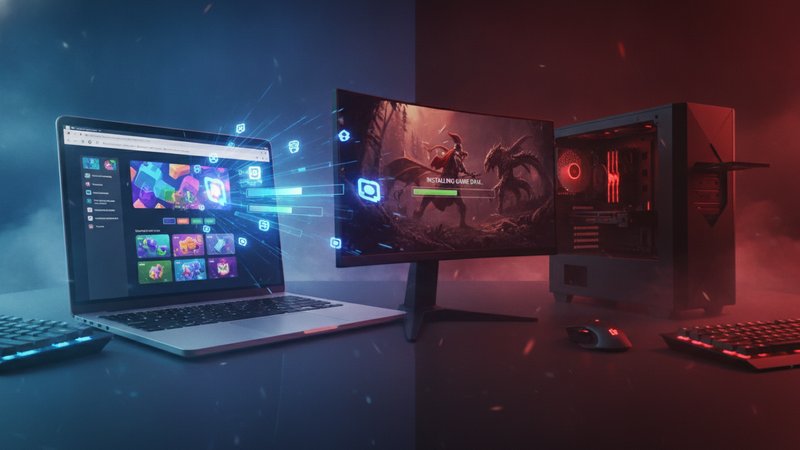
The choice between online games and downloaded games comes down to how fast you want to play. It's simple. Some players just like opening a browser tab to get straight into stuff without sitting around, while others want detailed graphics and offline modes that force you to save massive 100 GB files onto a drive.
We tested both options across cheap laptops and phones to figure out what works best. Storage space matters a lot here, and so does your web connection speed alongside raw hardware specs. So here's what turned up about browser games against installed titles before you pick a path.
Key Takeaways
- Online games load right inside a browser tab, so they don't eat up disk space.
- Downloaded games look sharper and run deep physics simulations, but you'll need plenty of drive space and time while stuff installs.
- Games without downloads work on pretty much any device if your internet holds up.
- Offline titles show a big gap in convenience because installed games keep running even when web service drops out completely.
- Modern HTML5 browser games deliver responsive controls and fast play sessions without install hassle.
What Are Online Games?
Online web games run directly inside a browser using HTML5 or WebGL tech. You don't need extra launchers, and you won't waste hours downloading huge patch files before jumping in. Why wait? You just open a site and the code loads straight into system memory, which helps if you're stuck on a slow work laptop or a phone running out of room.
Creators keep graphics lightweight so browser games open up fast inside regular tabs. You'll jump into action puzzles or match games in under 5 seconds. So you skip the installation headache entirely by sticking to free online titles on any web device.
The main perk here is universal convenience. You don't have to worry about graphics drivers or keeping gigabytes free on a drive. Because the actual game files live on remote servers, your machine just renders whatever arrives over the wire, making browser games great for casual players who want instant fun over fancy visual tricks.
Another benefit is cross-hardware support. Games load on browsers like Chrome or Firefox without extra setup. Even on a cheap tablet or an old office PC, titles that don't need installs run pretty much identically on almost any screen. That wipes out the hardware barrier that keeps casual folks from gaming.
Still, web games need a live internet connection to stream stuff and save your progress. If Wi-Fi drops, your session stops immediately. You won't get 4K ray tracing inside a web tab, but for quick sessions HTML5 titles hit the spot. Take a look at top free games without downloads to see how flexible web gaming gets.
What Are Downloaded Games?
Downloaded games are software programs you grab and dump straight onto your computer, console, or phone drive. When you buy or download an installed game, all art files, engine code, textures, and audio tracks end up sitting right on your hard drive, which lets your graphics processor and CPU pull assets locally rather than waiting around for some laggy network stream. It's way faster that way. Works offline too.
These files sit on your drive. Because everything lives locally, installed games pack in huge open worlds, detailed textures, nice lighting, and crisp sound design without crippling your internet connection during heavy action scenes. A single install takes anywhere from 5 GB for small indie projects up to 150 GB for big blockbuster releases. So you'll need decent hardware. You'll need space too.
Once installed, plenty of these titles give you deep offline single-player modes. Local installs win easily over web options when you're traveling on a train or stuck with terrible Wi-Fi. Why? Because you just boot up the file, everything loads off your solid-state drive, and you'll play smoothly without stressing over lag spikes, dropouts, or crawling download speeds. That's a huge relief.
Maintenance is the real headache. You've got to sit around waiting for huge downloads to finish before playing your first match. Then come mandatory patches and driver updates. If your SSD gets full, you'll waste 20 minutes deleting old games just to clear space for a fresh 40 GB update, which really ruins the mood when you just wanted a fast game. Still, that's the price for raw performance.
Hardware specs matter big time here. If your machine doesn't carry a modern graphics card or enough system RAM, heavy installed games can stutter, freeze up, or outright refuse to launch when you double-click their shortcut icon. Native apps need actual processing power. They aren't like simple web games running quick scripts inside a browser tab.
Online Games vs Downloaded Games: What's the Difference?
| Comparison Point | Online Web Games | Downloaded Games |
|---|---|---|
| Installation Needs | Zero downloads required, loads in browser tab | Requires full disk installation (5 GB to 150 GB) |
| Internet Requirement | Requires constant online connection | Many work completely offline after installation |
| Hardware Demands | Low demands, runs on basic laptops and phones | Requires moderate to powerful graphics and CPU |
| Load Speeds | Instant start within 2 to 10 seconds | Requires download wait time plus local loading screens |
| Storage Impact | Uses temporary browser cache only | Consumes permanent SSD or hard drive space |
| Cross-Device Compatibility | Works across PC, Mac, mobile, and tablets | Locked to specific operating systems and hardware |
When you compare them directly, the choice between online games and downloaded titles comes down to speed versus depth. Web options drop you straight into action. You don't have to clean out your drive, manage system storage, or sit around waiting for 50 GB updates over slow internet. Got 10 free minutes on a lunch break? Browser games make total sense then.
For instance, if you want a fun rhythm or puzzle fix, you can open Sprunki Pyramixed online inside your browser in a couple seconds. There's no setup wizard to go through. You won't face installer scripts or disk bloat taking up storage space on your machine either, meaning you just click the link and start playing instantly without hassle. That speed is why millions of casual players pick web options daily.
Downloaded games take the opposite route. They trade instant entry for high graphics and long multi-hour storylines. When you launch a native PC install, you're tapping your machine's full hardware potential, which means shadows look crisp and game worlds feel massive. But if you've only got 5 or 10 minutes, waiting on shaders or launcher updates can ruin your entire break. It's frustrating.
Cost plays a huge part here too. Most web games don't cost a dime and don't carry setup fees or upfront buying prices. You won't need a credit card just to try out a fun runner or quick puzzle stage. So you basically get free online games without download whenever you want them. On the flip side, native installed games usually come with 60 dollar price tags, paid expansions, or hefty setup requirements that slow you down.
Updates work pretty differently too. Web devs basically drop fixes onto the server quietly without fuss, so when you refresh your open tab, you're already running the newest build. But with standard desktop games, you're constantly stuck staring at update progress bars and can't even launch the app until some huge patch file finishes downloading onto your drive.
Storage and Memory Footprint
Storage runs out fast. Most budget laptops today only come with a 256 GB or 512 GB drive, which basically fills up to the brim after you install 3 huge desktop games. And when that local drive gets full, your whole OS starts crawling to a slow grind while you run out of room for work files or personal photos.
Web games don't hog storage. They just hang out in your browser cache and clean up after themselves automatically when you close the tab, meaning you can test out 20 different titles every week without your local drive filling up at all. So they're great for students or workers using basic shared laptops.
Browsing top HTML5 web games gives you instant variety without eating up local drive space or cluttering your operating system.
Hardware needs and device access
Not everyone owns a beefy PC with liquid cooling and expensive dedicated graphics cards. When you try launching a heavy desktop title on a thin ultrabook, internal fans scream at max speed while your battery dies in under 20 minutes and the gameplay drops to an awful slide show. It's tough for budget players.
Browser games skip this mess. WebGL basically handles light rendering tasks so cleanly that cheap integrated graphics chips run them without breaking a sweat, letting you jump straight into playing online without ever reading through long system requirement lists. They just work on everything.
You can hop from a desktop work browser to a mobile browser on the bus, and the game runs pretty much identical. There's no need to mess around in graphics menus or lower your resolution just to get smooth framerates. That steady performance is why light web platforms stay popular with everyone.
Internet needs vs playing offline
The main perk for installed games is offline play. When you're stuck on a long flight or riding subways through dark tunnels, browser games die the second your signal cuts out. You need local files on your machine. That's the only way to play without network drops cutting you off mid-level.
Installed offline games don't care about bad ping or dropped Wi-Fi signals. The actual files sit right on your hard drive, so your session stays totally smooth no matter how awful the connection gets. Because of that, frequent travelers and folks living in rural areas with spotty internet still count on them.
Still, having decent internet at home or on your phone makes network dependence pretty much a non-issue. For everyday play, web games boot up fast over standard 4G, 5G, or home Wi-Fi with barely any delay.
Which option fits you best?
Choosing between browser games and massive downloads basically comes down to your habits. There's no single perfect choice, just what matches your daily routine and hardware setup today.
- Online web games make complete sense when you want instant action without waiting around for slow downloads. They're also ideal when you're on integrated graphics, playing from a phone, or sitting on a full hard drive while trying to squeeze in a quick 10-minute break.
- Downloaded games make sense for fancy 3D graphics and long story campaigns, assuming you've got like 100 GB of fast SSD space sitting open on your rig. They're great. And you'll play them offline whenever you're traveling away from Wi-Fi.
Stuck in the middle? Mixing both works best. Keep 1 or 2 heavy native games on your desktop drive for quiet weekend sessions and bookmark lightweight web game sites on your browser, which basically means you won't waste time when you've got 5 minutes to burn. You're set.
Conclusion
Knowing how online games differ from downloaded games saves your time. Web games skip long setups, save local storage, and run right away on 3 different devices without hassle. Still, installed games offer better visuals alongside offline access, even though they eat up disk space and force you to wait around on 20 GB downloads. So pick what fits your setup today. You'll manage fewer files.
Frequently Asked Questions
Do online games use up space on my hard drive?
Online games only leave behind a small trace of temporary browser cache files to run properly, which means they won't install permanent folders across your drive or hog room you need for work stuff. Your storage stays open.
Can I play downloaded games without an internet connection?
Plenty of downloaded games let you play single-player offline once you've set them up completely on your machine. But some titles still force you online every 2 or 3 days to check digital rights or get into 5v5 match queues.
Are browser games as safe as downloaded software?
Playing web games on decent HTML5 sites is pretty safe because the games run inside an isolated browser sandbox that can't touch your system files anyway. It's clean.