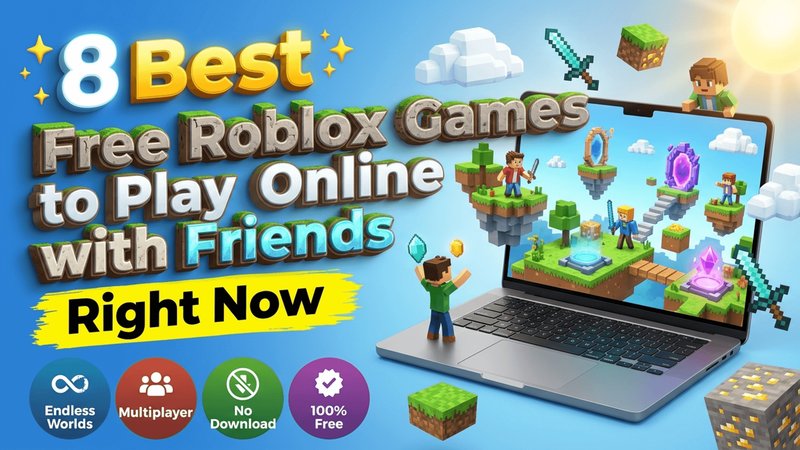
Are you looking for the coolest Free Roblox Games to play right now with your best squad? You do not need to spend any money or download heavy files to jump straight into these awesome virtual worlds on PC, console, or mobile devices.
This ultimate guide reviews eight top experiences that deliver non-stop action, fun social hangouts, and exciting challenges for gamers of all skill levels.
Key Takeaways
- Top Experience for Roleplay: Brookhaven RP offers rich open-world sandbox living with friends.
- Best for Fast Action: Arsenal delivers high-speed gunplay and quick competitive matches.
- Best for Mystery and Horror: Doors and Murder Mystery 2 provide heart-pounding multiplayer suspense.
- Full Cross-Platform Support: Every title runs smoothly across desktop computers, tablets, and smartphones.
- 100% Free Access: Jump into these Free Roblox Games without paying any upfront costs.
What Are Free Roblox Games?
Free Roblox games are games where you join virtual rooms created by a global community of developers to play together.
These experiences bring millions of players together into creative virtual sandboxes. Whether you enjoy building dream houses, exploring massive fantasy worlds, or tackling tough obstacle courses, there is something exciting for everyone.
Most creations focus on social play, letting you invite your friends to form squads, trade items, and beat challenges together.
You can access all these titles for free on PC, Mac, iOS, Android, and Xbox consoles. At ETM HTML5 Games, we love sharing online titles that bring people together without setup hassle.
Top 8 Free Roblox Games to Play
Here are the absolute best titles you can dive into today with your friends for endless entertainment.
1. Brookhaven RP : Best for Social Roleplay
Brookhaven RP is one of the most famous online Roblox games on the planet. In this relaxing sandbox city, you can construct your dream home, drive around in sleek luxury cars, and explore a bustling community with your friends.
Players love the total freedom to act out fun daily stories, host house parties, or become city officers.
If you love creative customization and roleplay, this experience provides hours of chill fun. If you want even more fashion options outside the main city, try out the Roblox Halloween Costume Party Game to test your personal styling skills with friends.
Desktop Controls:
- W, A, S, D: Move your character around the town.
- Spacebar: Jump over sidewalks and low obstacles.
- Shift: Sprint forward to travel much faster.
- Mouse Left Click: Interact with house doors, vehicles, and tools.
Mobile Controls:
- On-Screen Joystick: Move your avatar in any direction.
- Jump Button: Tap to hop over small objects.
- Tap Object: Touch items or doors on screen to interact.
2. Blox Fruits : Best for Epic Anime Battles
Blox Fruits takes inspiration from popular anime adventures. You sail across endless oceans, fight tough boss monsters, and search for powerful magical fruits that grant super abilities.
It stands out as one of the most exciting trending Roblox games because you can team up with buddies to conquer dangerous islands together.
As you defeat enemies, your character levels up and unlocks incredible sword strikes and elemental powers. If you enjoy action and fantasy, you can also explore the Play Roblox Gamenora Adventure Awaits You Game for another fantastic online adventure full of secrets.
Desktop Controls:
- W, A, S, D: Run through islands and towns.
- Left Mouse Click: Attack enemies with your weapon or power.
- Q: Dash sideways to dodge enemy strikes quickly.
- E, R, Z, X, C: Trigger special fruit moves and attacks.
Mobile Controls:
- Virtual Joystick: Steer your character across the land.
- Attack Icon: Tap the sword icon to strike target enemies.
- Skill Buttons: Tap on-screen icons to fire special abilities.
3. Doors : Best for Horror and Puzzle Survival
Doors is a scary first-person escape room game where you walk through endless spooky hotel rooms. You and your friends must find hidden keys, open locked doors, and avoid terrifying monsters that hunt in the dark.
It is easily one of the best Roblox games to play with friends who love horror.
Teamwork is essential in Doors. You must hide inside closets, crouch under beds, and listen closely for strange sound cues. For another unique puzzle game full of creative solutions, check out the Roblox Draw to Escape Online Game to keep your brain working fast under pressure.
Desktop Controls:
- W, A, S, D: Walk through hotel hallways quietly.
- C: Crouch down to slide under broken walls and stay low.
- E: Open doors, search drawers, and pick up hidden items.
- Spacebar: Jump over cluttered floor debris.
Mobile Controls:
- Movement Thumbstick: Walk through mysterious rooms.
- Crouch Button: Tap to duck down low to hide.
- Interact Icon: Tap highlighted objects to grab keys and open doors.
4. Tower of Hell : Best for Pure Parkour Skill
Tower of Hell is a thrilling parkour challenge where players race to the top of a randomly generated tower. Unlike traditional obstacle courses, there are no save checkpoints here!
If you fall, you start all the way back at the bottom, making it one of the most intense free multiplayer Roblox games available.
Every round features bright neon colors and fast music that keeps your heart pumping. If you love jumping challenges and want to try another vertical climb game, test your stamina in the Roblox Obbi only up game to see how high you can climb without falling.
Desktop Controls:
- W, A, S, D: Run across thin balance beams and platforms.
- Spacebar: Jump across wide gaps and moving obstacles.
- Shift: Turn on Shift Lock for precise jump aiming.
- Mouse Drag: Rotate your camera to see landing spots cleanly.
Mobile Controls:
- Left Screen Joystick: Guide your jumper carefully forward.
- Jump Button: Tap to leap between small platforms.
- Screen Drag: Swipe the right side of screen to turn your view.
5. BedWars : Best for Strategic Team Combat
BedWars puts four teams on floating islands in the sky. Your goal is simple: protect your team’s bed while destroying enemy beds across the map. As long as your bed stays safe, your squad can respawn endlessly, leading to fast and fun Roblox games with high strategic tension.
Players collect iron, gold, and diamonds from generators to buy upgrades, weapons, building blocks, and armor. If you enjoy building pathways and running across dynamic terrain quickly, you might also like the fast pacing of the Roblox Craft Run Game.
Desktop Controls:
- W, A, S, D: Sprint across bridges and islands.
- Left Mouse Click: Swing your sword or place defensive blocks.
- Right Mouse Click: Open shop menus and place items fast.
- E: Open your inventory chest.
Mobile Controls:
- Control Stick: Run around your floating island home base.
- Build/Attack Buttons: Tap to swing weapons or place blocks.
- Bag Icon: Tap to open your team shop menu.
6. Murder Mystery 2 : Best for Social Deductive Fun
Murder Mystery 2 splits players into three roles: Innocents, the Sheriff, and the Murderer. Innocents must run and hide while helping the Sheriff figure out who the killer is.
The Murderer tries to eliminate everyone secretly, while the Sheriff must shoot the Murderer before time runs out.
This classic experience stands out among top Roblox adventure games for its quick rounds and hilarious group moments. If you like colorful character design and seasonal outfits during games, try playing the Roblox Christmas Dressup Game between mystery rounds with your group.
Desktop Controls:
- W, A, S, D: Move quietly through dark maps and rooms.
- Left Mouse Click: Throw your knife or fire your gun.
- Shift: Sprint away from dangerous players quickly.
- E: Pick up dropped Sheriff gun from the floor.
Mobile Controls:
- Virtual Joystick: Walk and hide behind obstacles.
- Use Button: Tap on-screen to throw knife or shoot gun.
- Screen Swipe: Look around room corners to spot threats.
7. Adopt Me!, Best for Pet Collecting and Trading
Adopt Me! lets players hatch cute virtual pets, decorate personalized houses, and trade rare animals with players across the globe. You start with simple eggs and hatch them into dogs, dragons, or rare legendary creatures through daily tasks and care routines.
This title offers a friendly environment for friends to hang out, construct towns, and share collections safely. If you love music and creative games, you should also try out the Sprunki in Scratch Fun and Creative Online Game to make your own custom musical beats online.
Desktop Controls:
- W, A, S, D: Explore the nursery, stores, and playground.
- Left Mouse Click: Pick up pets, interact with objects, and open menus.
- Spacebar: Jump across small stream crossings.
- E: Feed or bath your active pet companion.
Mobile Controls:
- Movement Joystick: Walk around the colorful island town.
- Tap Action: Touch pets or furniture to trigger actions.
- Menu Buttons: Tap inventory icons to select active pets.
8. Arsenal : Best for High-Speed Gunplay
Arsenal is a chaotic first-person shooter where every kill grants you a completely new weapon. You switch instantly from sniper rifles to magic spell books and silly rubber chickens!
The team that reaches the final golden knife kill wins the match, creating constant laughter and energy.
It is one of the most thrilling free multiplayer Roblox games for competitive gamers who enjoy fast reflexes. If you enjoy fast-paced vehicle racing alongside combat games, take a break with the Roblox Climb Motorbike Game for steep hill climbing action.
Desktop Controls:
- W, A, S, D: Move across fast tactical arenas.
- Left Mouse Click: Shoot your active weapon.
- R: Reload ammo into your gun clip.
- Spacebar: Jump over low cover walls.
- C: Crouch to slide across smooth floor ramps.
Mobile Controls:
- Move Thumbstick: Navigate arenas quickly.
- Fire Button: Tap to shoot your target.
- Jump/Crouch Icons: Tap to leap or slide into cover.
How to Pick the Right Game for You
Choosing the best game depends on what kind of fun you want today. Consider these straightforward tips before starting a session with your gaming group:
- Squad Size: Choose team games like BedWars or Arsenal if you have four or more friends playing together.
- Play Style: Pick Brookhaven RP or Adopt Me! for low-stress social chats, or Doors if you prefer heart-pounding scary adventures.
- Time Available: Play quick rounds of Murder Mystery 2 or Tower of Hell if you only have 10 to 15 minutes to spare.
- Device Setup: Ensure everyone in your group uses supported devices, as all listed games support cross-play on PC, mobile, and console.
Conclusion
Finding the right Free Roblox Games to play online with friends is all about picking experiences that match your group’s energy. If you want pure open-world social freedom, Brookhaven RP is the single best game overall.
For 100% fast-paced competitive action without spending a dime, Arsenal stands out as the top pick for non-stop multiplayer excitement.
Grab your friends, create your squad, and dive into these worlds for endless hours of entertainment today!
Frequently Asked Questions
Are all the games on this list free to play?
Yes, all eight featured games are completely free to play on any supported platform without required purchases. While games offer optional cosmetic purchases, you can enjoy all main gameplay features without spending money.
Can I play these Roblox games with friends on different devices?
Yes, Roblox supports full cross-platform multiplayer across all games on this list. Players on mobile phones, desktop computers, tablets, and gaming consoles can join the exact same server and play together seamlessly.
Do I need to download separate files for each game?
No, you do not need individual downloads for each experience. Once you install the main Roblox client on your PC or mobile device, every game launches instantly from your browser or app dashboard.
Which game is best for beginners on mobile?
Brookhaven RP and Adopt Me! are ideal choices for new mobile players because they feature simple touch controls and low-pressure sandbox gameplay.