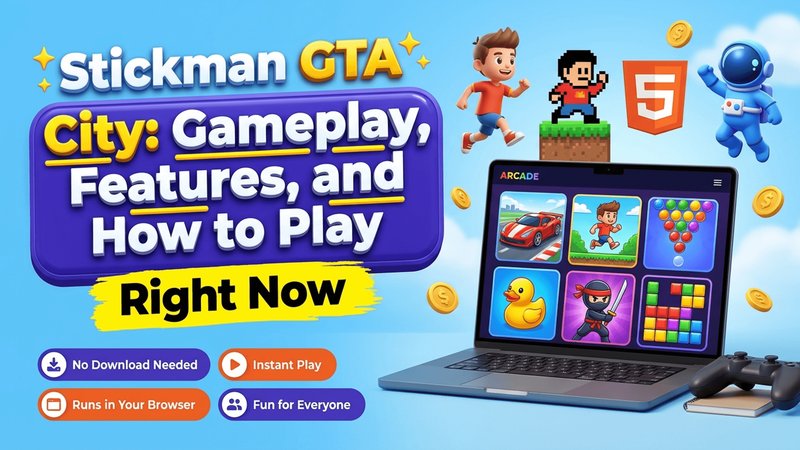
Stickman GTA City’s a free open-world game. You don’t need extra downloads to play on your desktop or phone, so this practical guide breaks down core mechanics and survival tactics to help you clear every mission.
Key Takeaways
- Stickman GTA City lets you explore an open sandbox filled with street missions and fast vehicles.
- You’ll play right inside your web browser on desktop PCs or mobile devices without installing extra software.
- Handling vehicles well and swapping weapons quickly keeps you alive during intense police chases.
- Positioning yourself on high ground stops rival stickman gangs from landing hits.
Stickman Gta City Overview
Stickman GTA City’s a 3D open-world action game where you drive through a busy metropolis, complete missions, and battle rival gangs.
The game mixes chaotic sandbox action with lightweight graphics. You’ll start as a small-time criminal before working up to control the whole city, and you’re free to drive sports cars or battle police across different neighborhoods.
And because graphics aren’t heavy, it runs smoothly on mid-range phones.
You don’t pay to play this stickman action game because it runs in modern HTML5 browsers on laptops, tablets, and phones. Try Stickman GTA City Mayhem for another open-world experience on our site.
Stickman Gta City Controls for Desktop and Mobile
Learning controls makes it easier to drive smoothly and survive heavy shootouts across city streets.
1. Desktop Controls
- Use WASD or Arrow keys to move your character or drive vehicles around town.
- Press Spacebar to jump over obstacles on foot or use it as a handbrake while driving cars.
- Click the left mouse button to strike enemies in melee or fire your gun.
- Still, holding the right mouse button lets you aim down the sights for long-range accuracy.
- And pressing E lets you get into vehicles or interact with objects.
- You’ll use keys 1 to 5 to swap weapons quickly.
2. Mobile Controls
- A virtual joystick sits on the left side of your screen for moving and steering on mobile devices.
- Tap the on-screen jump button to vault low walls or brake your vehicle.
- Hit the gun icon when you need to shoot targeted enemies.
- Holding the target icon lets you focus your crosshair for precision shots.
- Press the vehicle icon to get into any nearby car.
- You’ll tap the weapon icon to cycle through your stored gear during fights.
So you can also adjust movement sensitivity and toggle sound options inside settings to fit your setup.
Tips and Tactics for Stickman Gta City
Winning takes more than fast reflexes. But you’ll need smart tactics to earn cash fast and survive police chases while building up your balance with fast cars and cover.
- Get a sports car fast: Walking turns you into an easy target on these streets. You’ll move across neighborhoods much faster in a car, escaping police fire during intense chases while drivers who want fast city cars can test their skills in Aventador Vice Crime City.
- Climb onto roof ledges or footbridges when you’re fighting large groups of enemies. It’s safer up top. Taking higher ground makes it much harder for street enemies to hit you while giving you a clear angle to fire back into the crowd below.
- Melee weapons force you right next to dangerous enemies. That’s a bad move in a gunfight. So stick to rifles or pistols that let you pick off targets from a safe distance before they’ve got a chance to surround your position.
- Committing crimes rapidly brings out police. Hide in side alleys or switch vehicles regularly, since breaking line of sight helps you drop your wanted level before SWAT units set up heavy street roadblocks. And you’ll avoid getting trapped if you stay mobile.
- Defeated enemies drop health kits on the street. Grab those kits right away. And you’ll want to pick up those items between fights so you’ll fully refill your health bar before starting your next mission objective.
- Sharp turns at high speeds usually end in crashes. They’ll ruin your speed quickly. So tap your handbrake right before entering a turn to slide around street corners without losing any momentum.
Common Mistakes to Avoid in Stickman Gta City
Plenty of new players make simple mistakes that lead to failed missions or wrecked vehicles, but learning how to avoid these common errors early keeps your stickman alive much longer. It’s easier to survive when you know what to watch out for.
- Don’t stand still in open areas while taking fire because staying put turns your character into an easy target for street shooters. Keep moving continuously around the block. Still, you’ll want to use building corners for cover while stepping sideways to shoot back at enemies without taking heavy damage.
- Attacking police officers on open streets quickly raises your wanted level. And if you don’t park an escape car nearby or plan a clear getaway route first, you won’t get away alive.
- Running out of bullets during heavy gunfights forces you into risky hand-to-hand combat. That’s a quick path to a restart. So keep an eye on your ammo count and reload during quiet pauses between enemy waves to stay ready for action.
- Driving full speed into tight street corners damages your car while leaving you open to gunfire. Slow down before you make a turn. So ease off the gas right before sharp turns so you’ll keep full control over your vehicle while avoiding gunfire.
- Rushing directly from 1 mission marker to another causes you to miss cash pickups and weapons hidden in back alleys. Don’t rush through city districts. So explore hidden spots across the map to find extra gear for upcoming fights.
To discover more browser games across different genres, you’ll want to check our full collection of the best html5 games available right now.
Stickman Gta City Features
The game has key mechanics that keep players coming back for action. Understanding how these systems work helps you get the most out of every single play session on the map. It doesn’t take long to master.
- Open world freedom lets you roam across city districts and highway bridges without restrictive walls blocking your path anywhere in town.
- Diverse arsenal options let you collect and equip weapons ranging from basic pistols to heavy explosive launchers across every district.
- You’ll find vehicles scattered everywhere across city streets, including fast sedans and heavy armored trucks for tough fights.
- Dynamic mission tasks range from quick delivery jobs to high-stakes street escapes.
These Stickman GTA City features deliver hours of casual fun for fans of open-world action games.
How to Play Stickman Gta City
It’s easy to learn Stickman GTA City. Your character spawns in a safe neighborhood with basic gear when you start, so you’ll follow a few quick steps to get moving around the streets.
- Walk around your starting neighborhood with movement keys or touch controls so you’ll get used to handling before you jump into big city fights. It’s quick to learn the basics.
- Look for map icons everywhere: And when you head over to a highlighted marker, you’ll accept your 1st job right away so you can earn cash for gear.
- Walk right up to any parked car on the street and press your enter key to get behind the wheel immediately. You’ll drive fast across the city streets.
- Armorers marked across the map sell heavy body armor along with stronger guns, so spend your cash at their shops whenever you’re ready to upgrade your loadout. Upgrades keep you alive during hard missions.
You’ll run this game right inside a web browser on your phone or desktop PC without downloading any extra software on your hard drive. And it loads fast so you won’t sit waiting.
Conclusion
Stickman GTA City blends street driving and combat into 1 browser game. You’ll clear tactical missions or drive around causing total confusion on urban streets whenever you’ve got some spare time during your day. Still, you’ll jump in on mobile quickly.
Frequently Asked Questions
Is Stickman Gta City Free to Play?
Yes, it’s 100% free right inside your web browser. And you won’t ever pay money or download heavy files when you want to start playing your 1st mission today.
Can You Play Stickman Gta City on Mobile Devices?
Yes, it runs smoothly on phones and tablets. But the game also adjusts its layout automatically so touch controls feel natural while you’re driving around the city.
Which Devices Support Stickman Gta City?
You’ll play on computers and smartphones through standard web browsers like Chrome or Safari without any setup. It’s supported on almost every modern screen.
How Do You Lower Your Wanted Level in Stickman Gta City?
Escape the search area right away. So hide in quiet side alleys or switch to a fresh stolen vehicle as soon as cops lose sight of you in traffic.
Does Stickman Gta City Require an Internet Connection?
Yes, it does. Because it’s an HTML5 browser game, you’ll need an active web connection to load files and play your game sessions online.