
HTML5 games have changed how we spend 5-minute breaks during the work day, keeping us hooked with instant action and zero installation barriers. We tested dozens of browser releases over the past month at ATM HTML5 Games to see what makes certain titles stick in your mind long after you close the tab. The real magic isn't flashy 3D engines, but rather smart feedback loops that reward quick thinking and fast taps.
You launch a quick round while waiting for coffee, and suddenly 20 minutes vanish before you even notice. So why does this happen so consistently across different genres? Let's take a close look at how these lightweight web experiences grab our focus and hold it tight.
Key Takeaways
- Instant startup speeds remove friction, so you jump right into the core loop without waiting for heavy downloads.
- Simple tap or keyboard controls make mechanics easy to pick up in 5 seconds while keeping the skill ceiling surprisingly high.
- Short round lengths creates a strong instant engagement cycle that pulls you back for just one more attempt.
- Smart visual and audio feedback makes simple actions feel crisp and satisfying every single run.
What Are HTML5 Games?
HTML5 games run natively inside modern web browsers like Chrome, Safari, and Firefox without requiring old plugins like Flash or standalone desktop apps. They rely on Canvas, WebGL, and modern JavaScript to draw graphics smoothly at 60 frames per second on almost any device. If you want to know how web tech evolved to this point, check out our breakdown of browser gaming evolution.
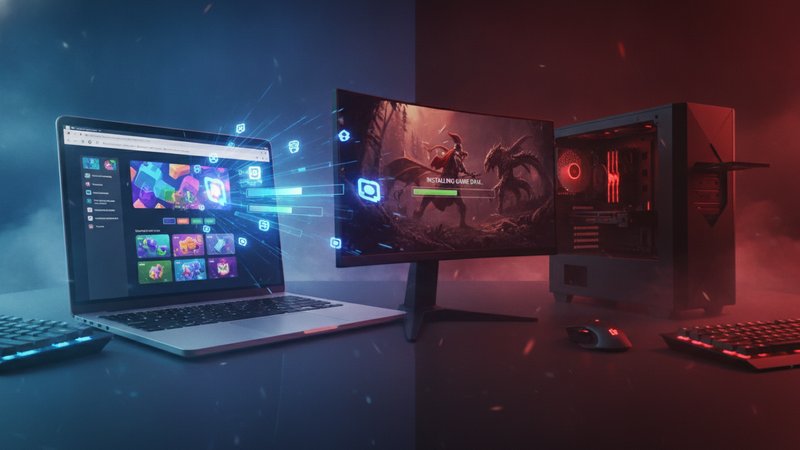
Because these games load as compressed web packages, they take up zero space on your hard drive. They adapt on the fly whether you're using a mouse on a desktop screen or tapping away on a phone display. It's clean, convenient, and built for modern digital routines.
How to Play HTML5 Games
Desktop Controls
- Arrow keys or WASD keys handle character movement, direction steering, or puzzle block shifting.
- Spacebar or Left Mouse Click triggers jumps, attacks, tile drops, or action selections.
Mobile Controls
- Single tap on the screen acts as a primary click to interact with elements or jump over hazards.
- Swipe gestures move characters, drag items across grids, or change directional paths.
- Open your mobile or desktop browser and navigate directly to our main browser games arcade to select a game.
- Read the brief 1-line objective tip shown on the loading screen before clicking start.
- Focus on mastering responsive inputs during your first 2 warm-up rounds.
- Aim for incremental high score targets by staying calm when game speed ramps up.
Key Features of HTML5 Games
The standout feature of browser titles is how fast they get you into action. You aren't stuck looking at loading bars or setting up account profiles before playing. Modern web tech gives creators tools to build tight physics, reactive controls, and colorful visual styles that launch in 2 seconds flat.
Another huge benefit is cross-device syncing. You can start a session on your desktop during lunch and continue a similar style game on your mobile phone on the subway home. If you enjoy classic retro mechanics adapted for modern browsers, browse top rated online arcade picks to find your next session.
Progressive difficulty curves keep things fresh too. Most titles start with gentle objectives, then introduce faster pacing or trickier hazards as your score rises, keeping your brain fully dialed in.
Tips to Play HTML5 Games Better
First, don't rush your inputs when speed increases. Most players lose runs because they panic and tap blindly instead of watching movement patterns ahead of time. Keeping your eyes 2 steps ahead on screen gives you time to react to sudden obstacle spawns.
Second, take short breaks between sessions. Your reaction times drop off after 15 continuous minutes of intense tapping, leading to silly mistakes. Stepping away for a minute resets your focus so you come back sharper.
Third, use score multipliers to your advantage. Many fast-paced titles award extra points when you chain quick actions together without failing. If you like tracking your personal milestones and maximizing play sessions, read our guide on tips on maximizing your session rewards.
Common Mistakes to Avoid
A huge mistake new players make is focusing only on speed while ignoring precision. Fast movement doesn't help if you hit a wall 3 seconds into a run. Master clean movement first, then let speed build naturally as you memorize patterns.
Another common blunder is ignoring sound cues. Developers often hide subtle audio prompts in background tracks that alert you when obstacles are about to spawn or when your multiplier is active. Playing with audio on gives you a massive tactical advantage.
Finally, don't stick to a single fixed path or strategy every round. Web games frequently randomize item spawns or tile layouts, so adapting your plan on the fly is critical if you want to set top scores.
What Makes HTML5 Games Fun?
It comes down to human psychology and quick reward systems. When a game offers clear goals and instant retry buttons, your brain wants to prove it can do better next time. The friction between dying and starting a fresh run is under 1 second, so you don't have time to walk away disappointed.
Crisp audio chirps, vibrant particle explosions, and smooth UI animations celebrate even your smallest victories. These tight gameplay loops feed a feeling of constant progression. Every 30-second run feels like a complete story with a beginning, middle, and high-stakes end.
Final Thoughts
At the end of the day, HTML5 games win because they fit seamlessly into quick breaks without asking for commitments, large file downloads, or complex tutorials. They strip away extra fluff to deliver pure arcade thrill in seconds. Next time you've got 5 minutes to spare, load up a quick round, test your reflexes, and see if you can top your personal best score before the timer runs out.
Frequently Asked Questions
Do I need to download files to play HTML5 games?
No, you don't need to download any files or install browser plugins. HTML5 games run directly inside your web browser using standard code rendering.
Can I play HTML5 games on both phone and desktop?
Yes, these games are built to adapt automatically to both touchscreens on mobile devices and keyboard or mouse setups on computers.
Why do HTML5 games load so fast?
They use lightweight compressed assets and efficient web code, allowing browsers to render graphics and play audio almost instantly.